
Starlink Battery Backup Guide: Which UPS Should You Buy?
6/7/2026
Most people think a battery backup is only for keeping internet online during an outage. That matters, but the bigger reason is hardware protection: brownouts, voltage dips, and power surges can stress electronics over time, especially sensitive network gear like Starlink power components and routers.
Why a Battery Backup Is So Important for Starlink
- Brownout protection: Utility voltage drops can cause unstable behavior, reboots, and repeated stress on power circuitry.
- Surge protection: Spikes from storms, grid switching, and utility events can damage equipment without proper suppression.
- Cleaner power delivery: AVR-capable UPS units can correct undervoltage/overvoltage conditions before they reach your hardware.
- Outage ride-through: Short outages and fast flickers no longer drop your connection immediately.
- Less wear from hard power cycling: Fewer abrupt power interruptions can reduce long-term stress on electronics.
What Damage/Problems Can Happen Without Backup Protection?
- Random reboots and unstable connectivity during utility dips
- Loss of sessions/calls/meetings from brief flickers
- Increased risk of component wear from repeated abrupt shutdown/startup cycles
- Greater exposure to damaging surge events during storms or grid disturbances
Quick Recommendation
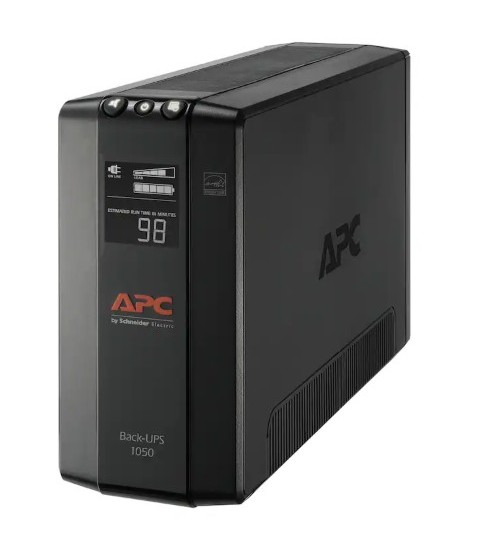
For most home installations, start with a reliable line-interactive UPS with AVR. A practical baseline recommendation for many setups is the APC BN1050M (1050VA / 600W), then size up if you want longer runtime.
What to Put on Battery Backup
- Starlink power path (dish/power supply as applicable)
- Main router
- Only critical network gear (switch/firewall) if needed
Keeping the battery load focused on essentials improves uptime and extends runtime during outages.
Model-Specific Technical Guides
Use the model page below for exact specs and recommendations:
- Starlink Standard 4: Specs, Power, and UPS Recommendations
- Starlink Mini: Specs, Power, and UPS/Battery Recommendations
- Starlink Standard 4 X: Specs, Power, and UPS Recommendations
- Starlink Standard Actuated (legacy rectangular): Specs, Power, and UPS Recommendations
- Starlink Business Models (Enterprise/Performance): Power and UPS Planning
What About Enterprise / Pro / Business Starlink Models?
If you have business-class hardware, power expectations can be different. Official model naming has changed over time, so "Pro" often maps to Performance-class kits.
- Enterprise: average 75-100W
- Performance (Gen 3): average 75-100W
- Performance (Gen 2, formerly Flat High Performance / often called Pro): average 110-150W
For these models, runtime planning and total network-stack load become even more important. Use the business-model KB guide above for technical sizing details.
Not Sure Which Starlink Model You Have?
- Mini: compact portable all-in-one style kit
- Standard 4 / 4 X: current full-size standard kit family
- Standard Actuated: older rectangular motorized/self-orienting hardware
If you are unsure, compare your hardware against the official Starlink specifications page in your account context and kit details.
How to Choose UPS Size (Simple Rule)
- Watt rating (W): must safely support your connected load
- Battery capacity (Wh): determines how long you stay online
Formula: Estimated runtime (hours) ~= usable battery Wh / actual load W
When to Upgrade to a Larger Backup
- You want internet to stay up much longer during outages
- You also power extra gear (switches, APs, firewall, etc.)
- Your area has frequent utility instability or repeated outages
Final Recommendation
If you only remember one thing: a battery backup is not just about convenience, it is hardware protection. Start with AVR + surge protection for power quality defense, then size battery capacity based on how long you want internet to stay online.
If you want help selecting the right backup for your exact Starlink model and network setup, contact Lone Pine Technology and we can size it with you.